DIGITAL TRANSFORMATION PRO-TIPS |MARCH EDITION
Tip 1: Canlan Sports recommends ONLY Microsoft Copilot for Secure AI Workflows
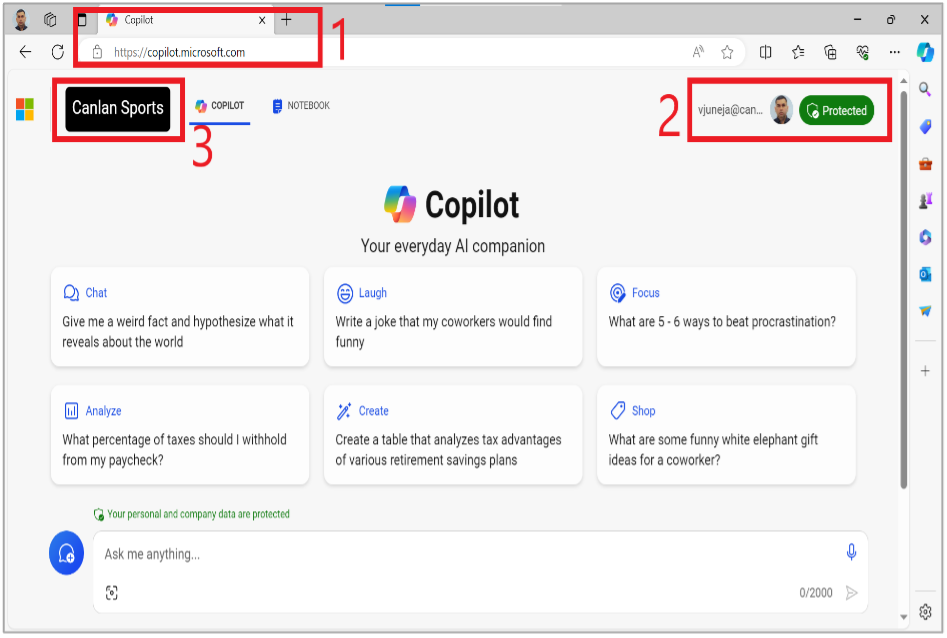
Step 1: Navigate to https://copilot.microsoft.com/
Step 2: Log-In with your Canlan Sports credentials
Step 3: Ensure that you are in secure Canlan Sports – MS Copilot environment.
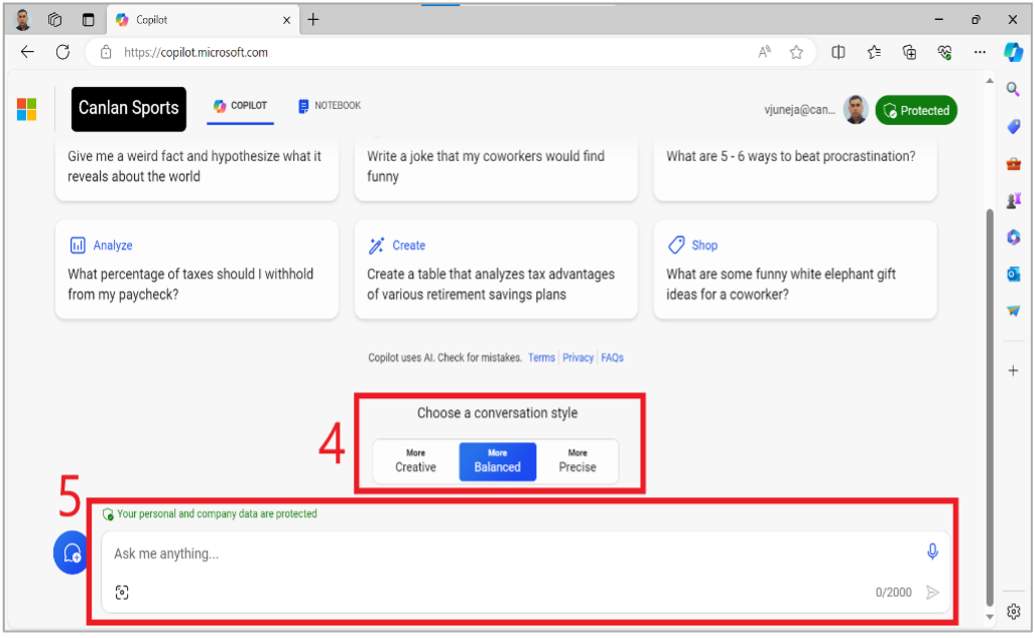
Step 4: Choose a conversation style from Creative, Balanced or Precise.
Step 5: Start a “secure” (both personal & company data) conversation with MS Copilot.
Tip 2: Setting-up Email Notifications in Wrike for Streamlined Collaboration
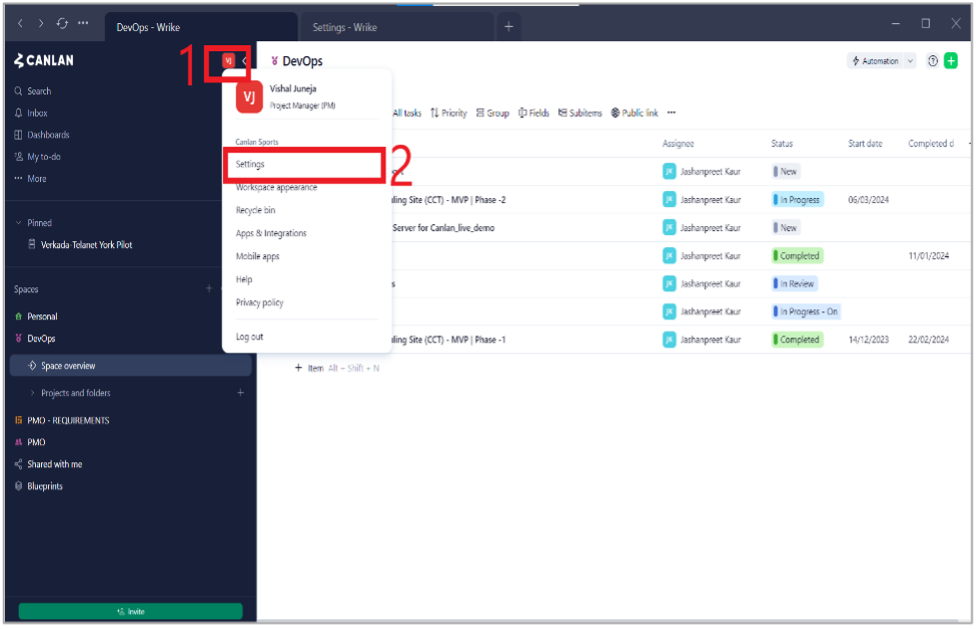
Step 1: Log-in to Wrike using your Canlan Sports credentials and click on your profile icon.
Step 2: Click on “Settings” in the drop-down menu.
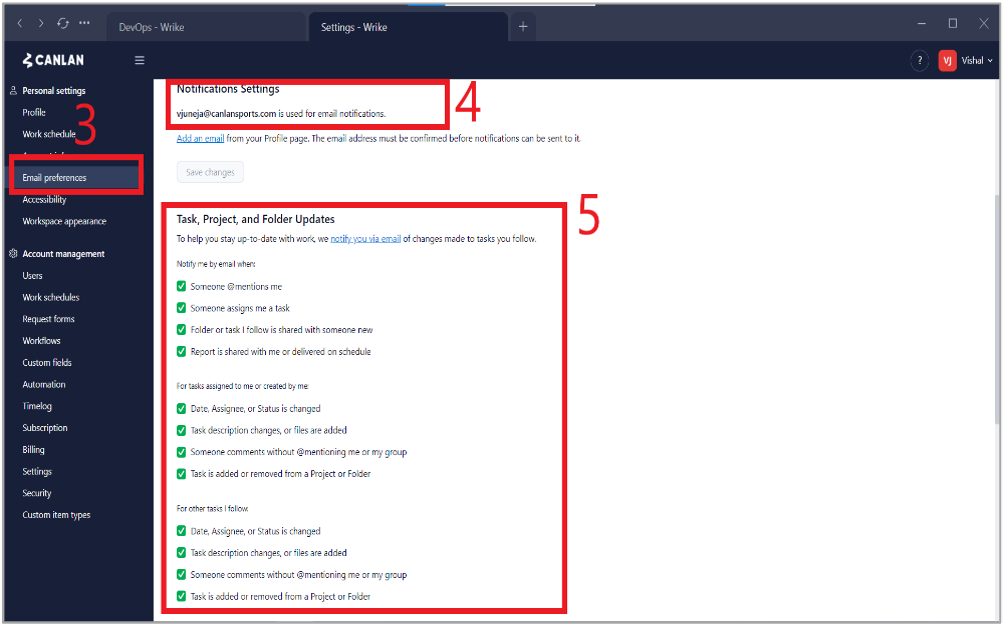
Step 3: Click on “Email Preferences” tab on the left side under “Personal Settings”.
Step 4: Your Canlan Sports email is your default email for all Wrike notifications, please add another email if required.
Step 5: Ensure that all relevant Project/Folder/Task notifications are selected, “@mentions” are selected by default.
Please reach out to me directly for queries, suggestions, and feedback. Thank you!
Vishal Juneja
Project Manager, Technology
Canlan Ice Sports Corp.
vjuneja@canlansports.com