DIGITAL TRANSFORMATION PRO-TIPS |FEBRUARY EDITION
Monday, February 12th, 2024
Tip 1: MS Teams Meeting – Create Instant Polls & Surveys
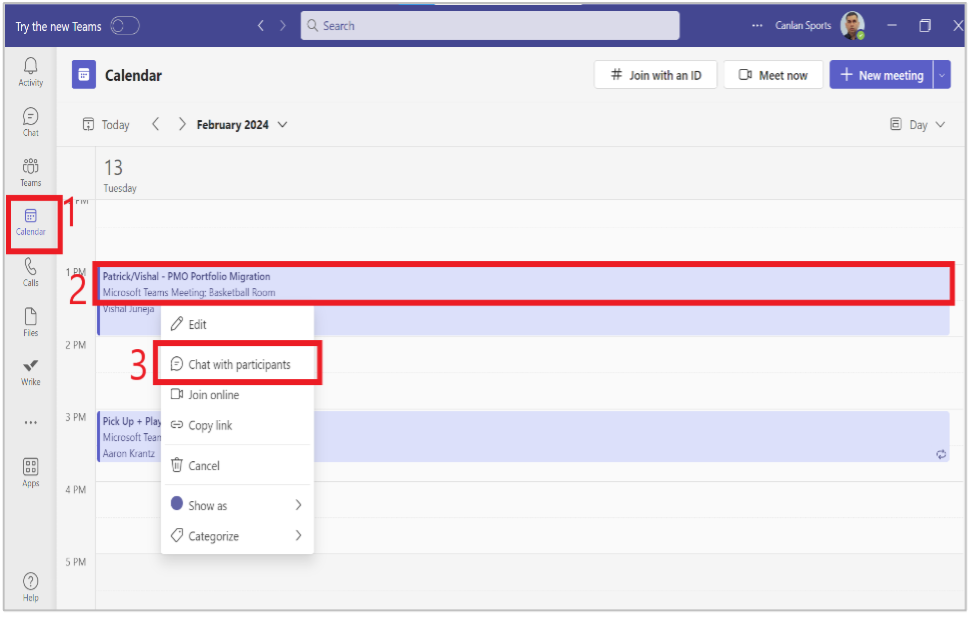
Step 1: Ensure that you are in MS Teams and click on the “Calendar” tab on the left.
Step 2: Right-click on “Your Meeting” in which you wish to create LIVE Polls or Survey.
Step 3: Click on “Chat with Participants” in the drop-down menu.
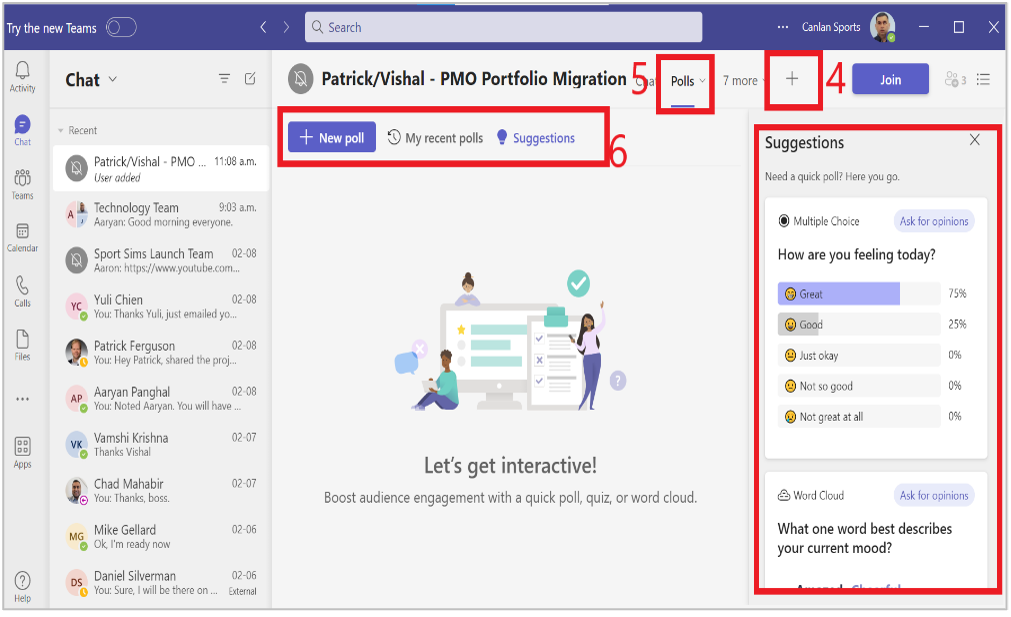
Step 4: Click “Plus Icon” on the top and search & select “Polls”.
Step 5: You will see the “Polls” tab now available in the top row along with quick poll suggestions below.
Step 6: Click on “New Poll” tab to create a new poll during your meeting.
Tip 2: MS Teams Screen Lock – Ensure Auto-Disable is ON for Screen, Camera, & Mic
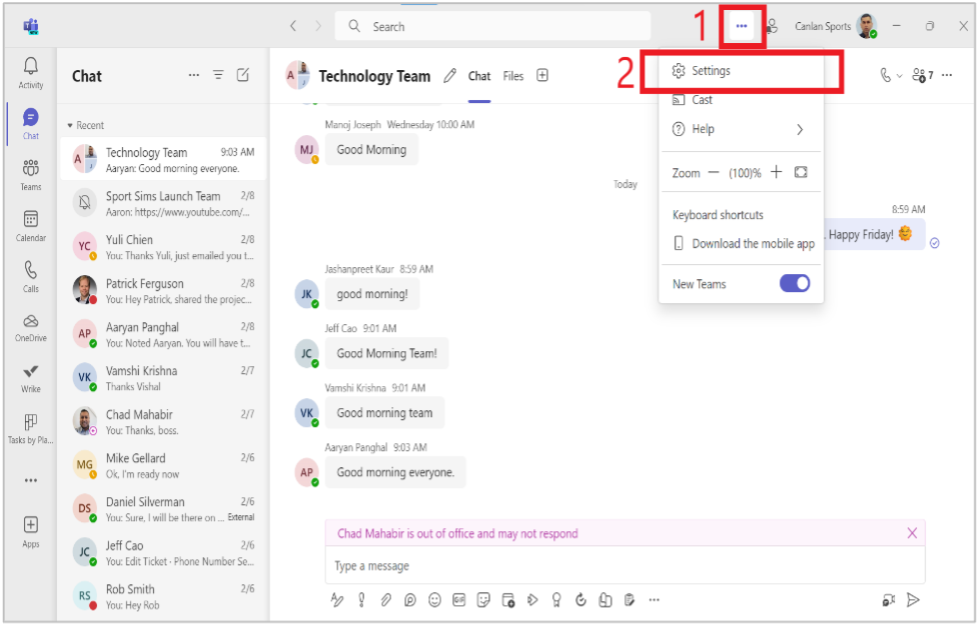
Step 1: Ensure that you are in NEW version of MS Teams and click on the “Ellipsis or Three Dot” tab on the top.
Step 2: Click on “Settings” in the drop-down menu.
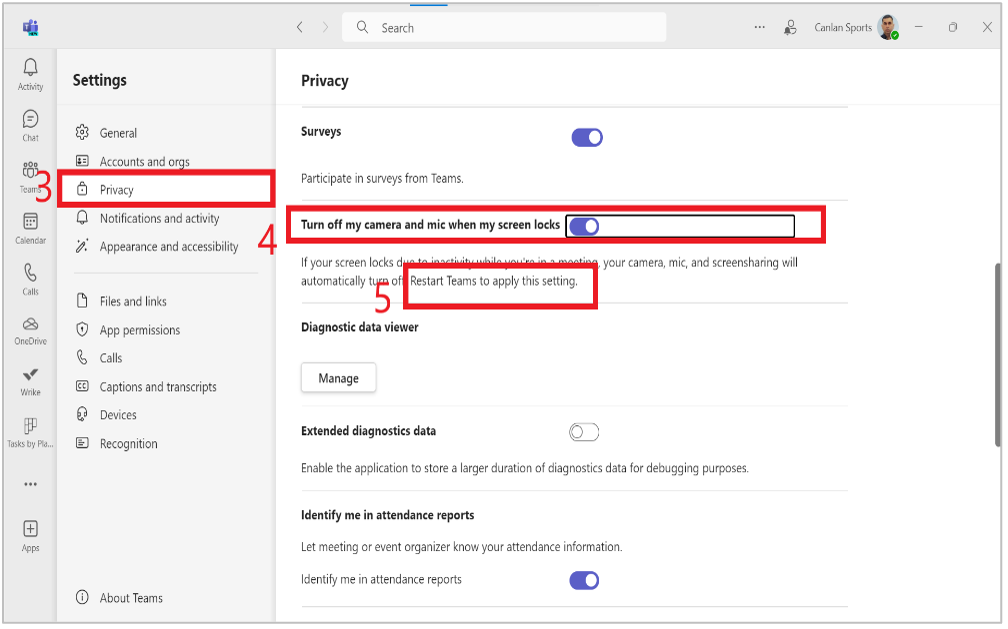
Step 3: Click on “Privacy” tab on the left side under “Settings”.
Step 4: Ensure that “Auto Disable is ON” for Camera & Microphone in case the screen locks.
Step 5: Please Restart Teams to apply these settings.
Please reach out to me directly for queries, suggestions, and feedback. Thank you!
Vishal Juneja
Project Manager, Technology
Canlan Ice Sports Corp.
vjuneja@canlansports.com