DIGITAL TRANSFORMATION PRO-TIPS | SEPTEMBER EDITION
September 2nd, 2025 – Curtis Chow
Tip 1: Copilot Auto-Transcription and Recording
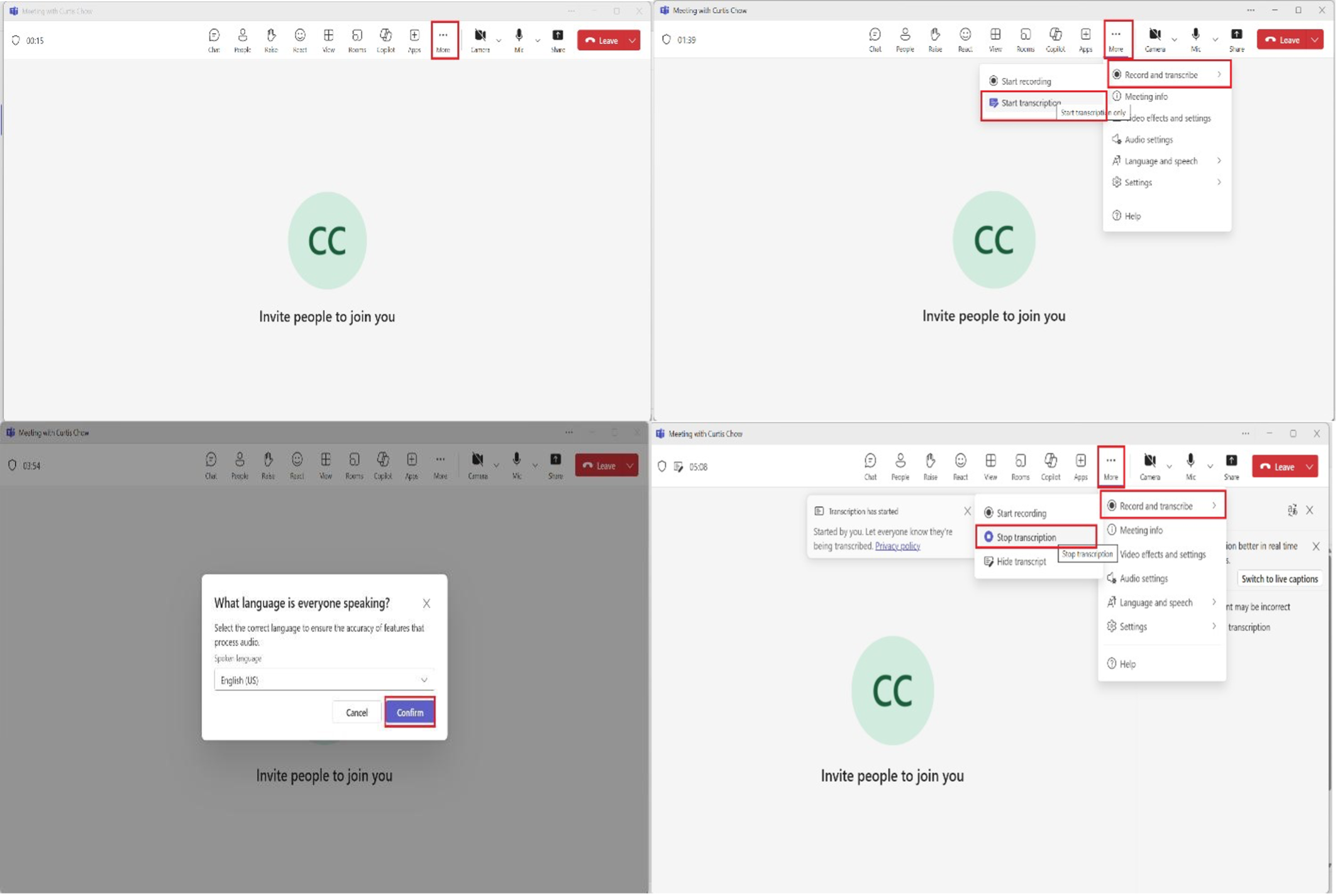
Step 1: Activate a meeting on Microsoft Teams.
Step 2: Drag your cursor to the Three Dots “…” icon right next to the Camera icon
Step 3: Select the “Record and Transcribe” button
Step 4: Select the “Start Recording” button to start meeting recording and “Start Transcription” button to start transcription. Step 5: After the meeting has concluded, select the Three Dots “…” icon, select “Record and Transcribe”, and select the “Stop Recording” and “Stop Transcription” buttons.
Step 6: You will be notified on Microsoft Teams when the recording and meeting transcription is ready for review.
Tip 2: Copilot Voice and Face Profiles
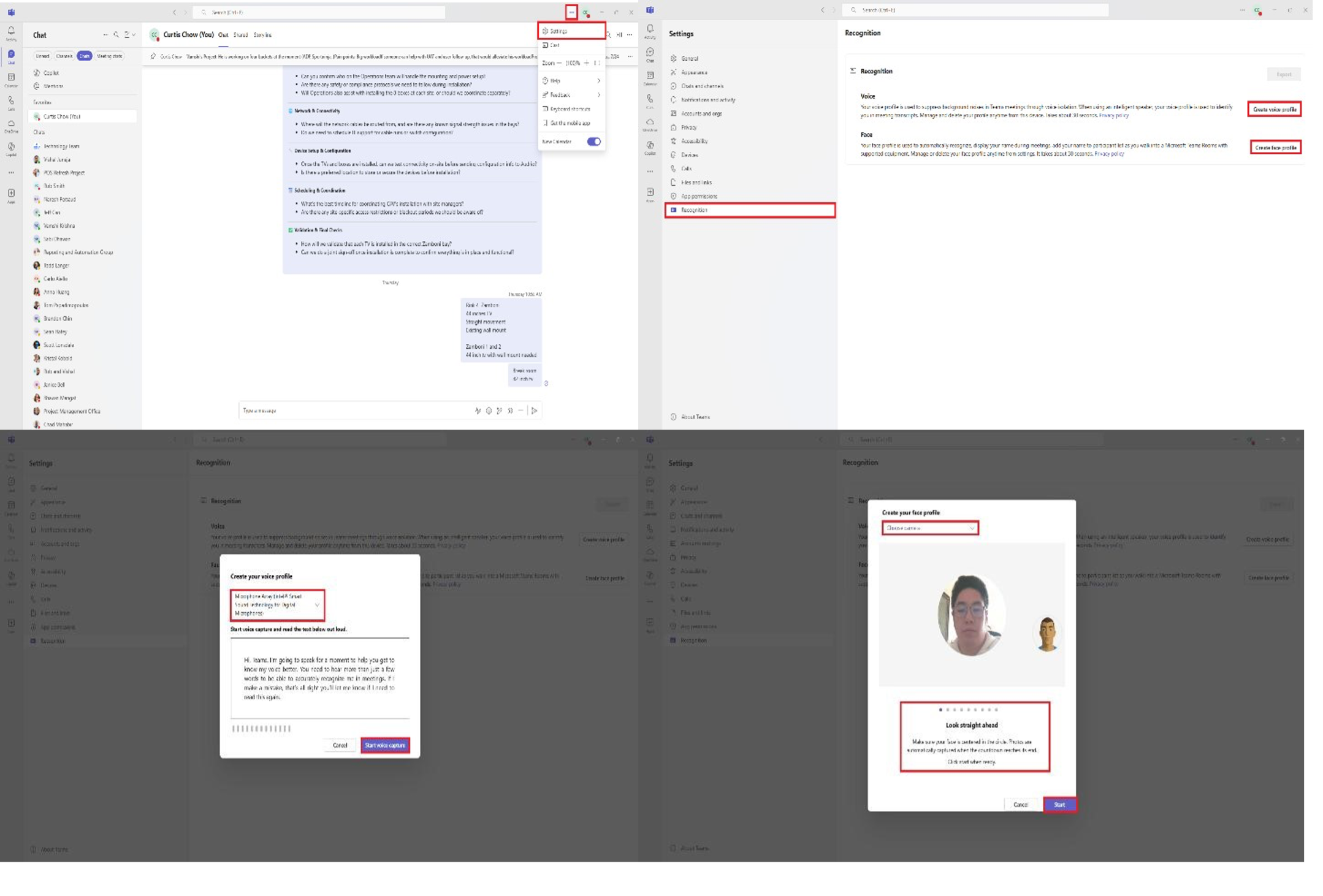
Step 1: Open Teams settings, select the three dots “…”, then select the “Settings” option.
Step 2: Scroll down to “Recognition” tab, then select the “Create Voice Profile” button.
Step 3: Select the microphone that you would like to record your voice.
Step 4: Select the “Start Voice Capture” button and begin recording your voice reading the paragraph, select “Stop Voice Capture” button once you have finished reading the paragraph.
Step 5: Select the “Create Face Profile” button, select the camera, select the “Start” button, and follow the prompts.
Please reach out to me directly for queries, suggestions, and feedback. Thank you!
Curtis Chow
Project Manager, Information Technology Canlan Ice Sports Corp. cchow@canlansports.com